![Logo Only White w Color (.png med).png]](https://support.siera.ai/hs-fs/hubfs/Logo%20Only%20White%20w%20%20Color%20(.png%20med).png?height=40&name=Logo%20Only%20White%20w%20%20Color%20(.png%20med).png)
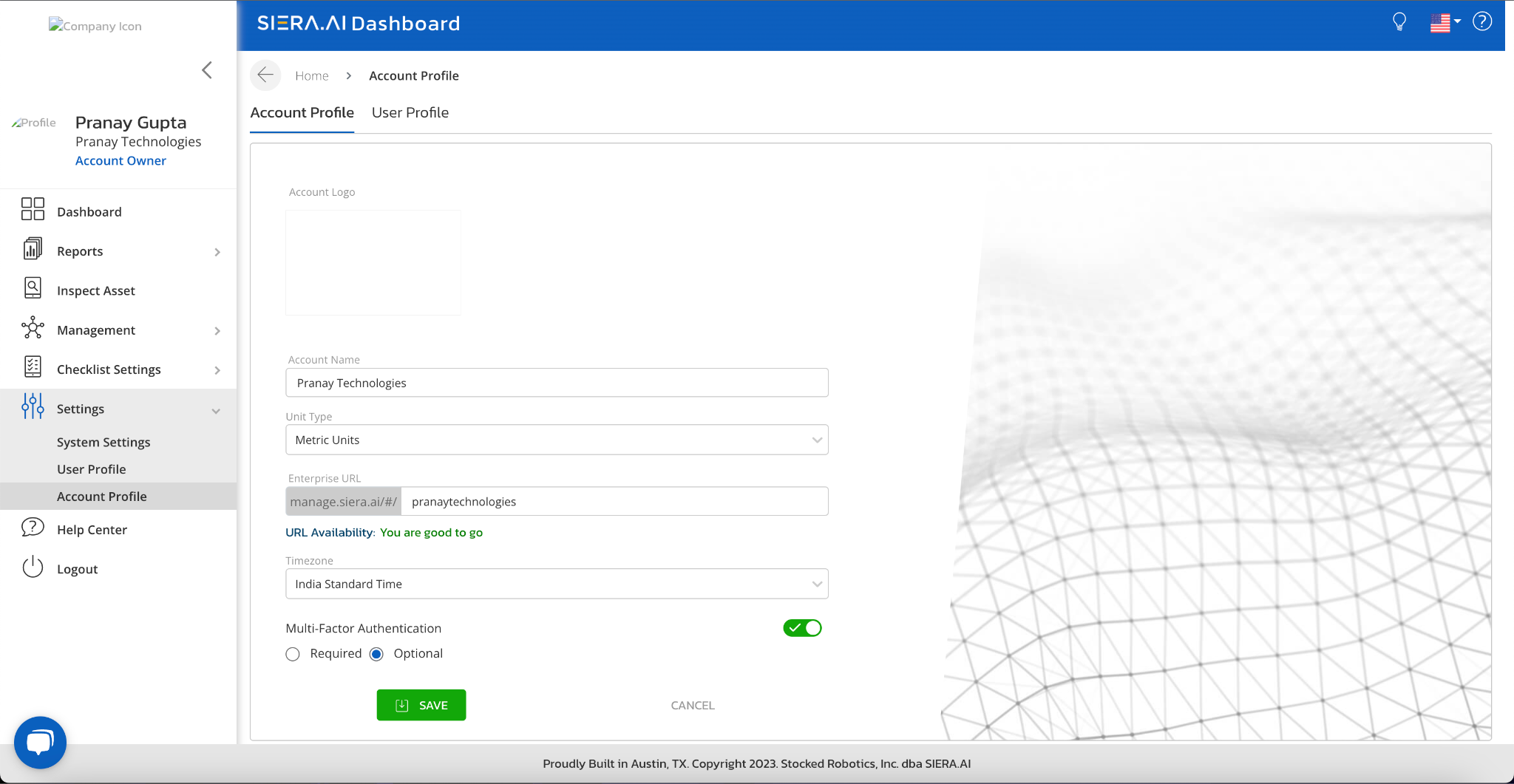
- Account owner can turn ON or OFF the MFA under settings---->account profile:
- Only Account Owners can choose whether MFA is mandatory or optional for their users in the organization.
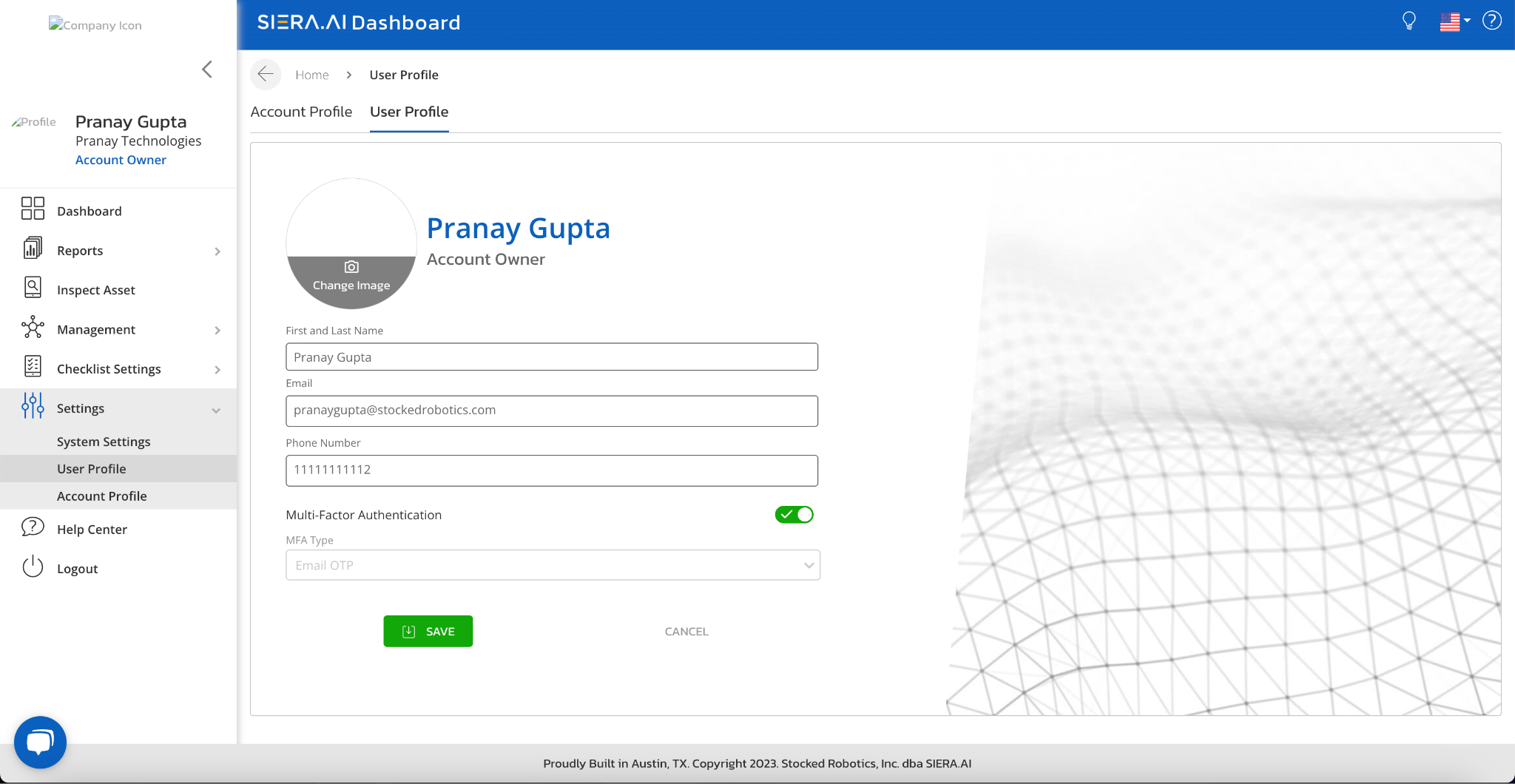
- If account owner turns ON the MFA, by default under user profile the MFA type EMAIL OTP is triggered.
- Once they keep mandatory, then MFA will be enabled [by default] for all the users, and the users CANNOT turn it off.
- If they choose optional, then MFA will be enabled [by default] for the users, but the users can turn ON/OFF the feature.
- When MFA is enabled, and the user tries to login (dashboard), they will see an OTP input screen, after the email and password have been entered correctly
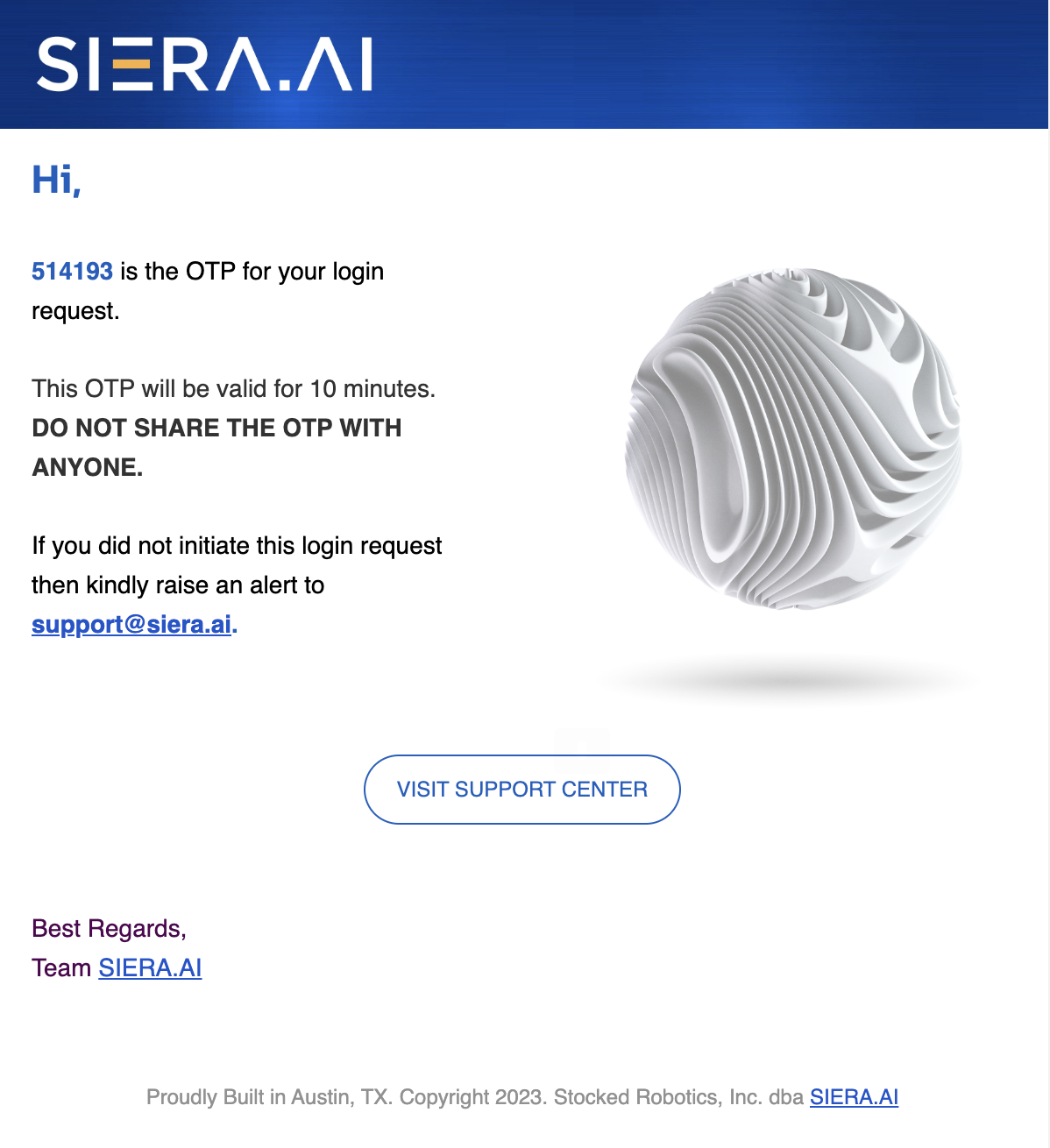
- OTP will be sent on an email as shown below:
- Entering the valid OTP will verify the user and they will be redirected to the dashboard.
- OTP will be valid for only 10 minutes
- If the user enters an incorrect OTP 5 times, consecutively, then they will get blocked from logging on to the dashboard for next 10 minutes
- Notification will be sent to his email address

For any queries, kindly email at support@siera.ai or call at 512-817-0702